
TfL Approved Dash Cams List for PCO Drivers
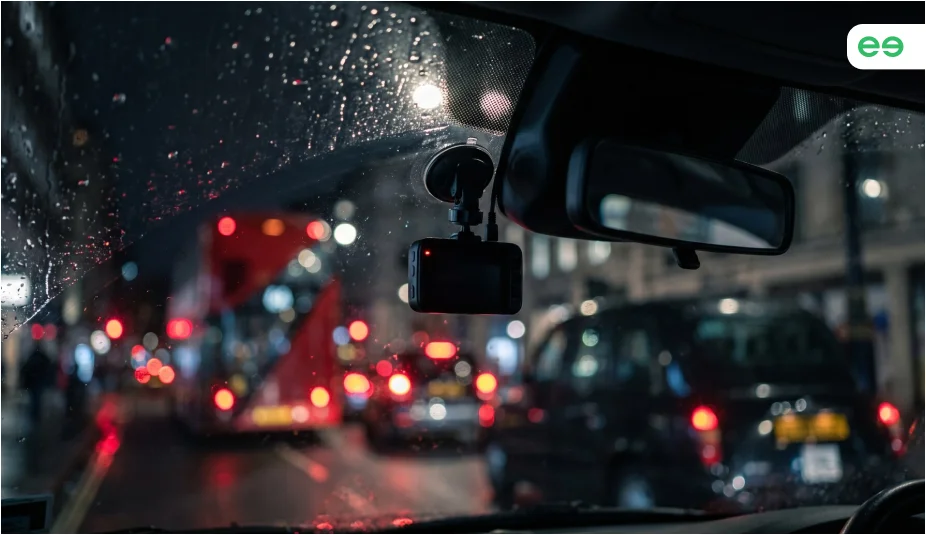
If you drive a PCO car in London, a dash cam can be useful specifically when dealing with road collision, passenger dispute or other incident during a shift.
But you cannot assume that any dash cam from a high-street retailer is suitable for a private hire vehicle.
The TfL-approved dash cam list includes a range of CCTV and incident-camera systems for taxis and private hire vehicles. PCO drivers should check the updated list, as a camera sold as a professional dash cam does not automatically mean it is on the TfL-approved list.
Here is what you need to know before choosing a system.


What Is a Dash Cam and How Does It Work?
A dash cam is a small camera fitted inside a vehicle to record what happens on the road. Most cameras start recording automatically when the vehicle is switched on and save the footage to a memory card or internal storage.
Depending on the model, a dash cam can record the road ahead, the rear of the vehicle or the cabin, along with audio recording. Some also include features such as GPS, parking mode, incident detection and audio recording.
What Is on the TfL Approved Dash Cams List?
TfL publishes a List of approved CCTV systems for taxi and private hire vehicles. It lists the supplier, the exact camera or CCTV system, what the system records and whether it is approved for PHV installation.
TfL-Approved Systems for PHVs
TfL-approved camera system | Camera coverage |
Exeros Trackeye Nano 168SD | Forward-facing and interior |
VisionTrack VT5500 | Forward-facing, rear-facing and interior |
VisionTrack VT2200 | Forward-facing incident camera and passenger-facing CCTV |
Nauto 2 (N2) | Forward-facing incident camera and interior-facing CCTV |
Crystal Ball Smart Cam JC400 | Forward-facing and interior |
Surecam SC145 | Forward-facing incident camera |
Surecam SC245 | Forward-facing and interior-facing |
Kasava KDC507 | Forward-facing and interior-facing functions |
Matrix CAMiQ | Forward-facing and interior-facing |
Samsara CM31 and CM32 | Forward-facing incident cameras |
SmartWitness KP1 | Forward-facing incident camera and internal-facing CCTV |
The list above is based on TfL’s lists of Approved CCTV suppliers/installers published on 12 May 2025. TfL can update its approved systems, so check the official document before buying or installing a system.
Important: Check the exact camera model
TfL approval applies to specific camera systems, not simply the manufacturer or brand. Always check the exact model against the latest TfL-approved list before buying or installing a camera.
Are Dash Cams Mandatory for Private Hire?
No. Dash cams and in-vehicle CCTV are not currently mandatory for every London PHV.
Taxi and PHV owners can choose whether to install in-vehicle CCTV in their vehicles.
Installing dash cams is encouraged for PCO drivers to protect their position against passengers, insurance companies and third-party claims.
If you have a passenger complaint about driving, a dispute where you want to appeal an Uber rating, or pending car accident claims, recorded footage gives drivers an objective record of what happened rather than relying only on different accounts of an incident.

Difference Between a CCTV and TfL-Approved Dash Cam
There is also an important difference between in-vehicle CCTV and an ordinary road-facing dash cam.
TfL describes in-vehicle CCTV as a system that records inside the vehicle, including the driver and passengers. A road-facing dash cam records what is happening outside the vehicle. Some approved systems combine both.
So if you are looking at TFL cams for your PCO car hire, first decide what you actually want the system to cover.
TfL-approved dash cams can be more comprehensive. Depending on the model, they can include:
- Forward-facing recording
- Interior passenger-facing recording
- Rear-facing recording
- GPS or vehicle telemetry
- Panic buttons
- Secure storage
- Controlled audio recording
TfL’s list covers both incident cameras, which record externally, and CCTV, which records inside the vehicle.
That is why searching for a “TfL approved dash cam” can sometimes produce confusing results. The official TfL terminology is broader than a standard front-facing dash cam.


Which TfL-Approved Dash Cam Should I Choose?
There is no single best system for every PCO driver.
The right choice depends on how much coverage you want and how you work.
1. For Basic Road Protection
A forward-facing incident camera can give you a record of what happened on the road.
This can be useful if you are mainly concerned about collisions, dangerous driving or disputes following an incident.
2. For Passenger Protection
A forward and interior system gives you coverage of both the road and the passenger compartment.
This can be useful for drivers who work long evening shifts or regularly carry passengers throughout the night.
3. For Wider Vehicle Coverage
Systems with forward, rear and interior cameras provide more coverage around the vehicle.
They may make more sense for drivers who want a broader record of an incident rather than relying on one camera angle.
4. For a Larger Setup
Some TfL-approved systems support multiple cameras and additional features such as GPS, panic buttons or vehicle telemetry.
These systems may suit drivers who want a complete vehicle security setup rather than a simple dash cam.
Start Earning Today.
What Should You Check Before Buying a PCO Dash Cam?
Before paying for a system, work through this checklist.
1. Check the exact model
Do not stop at the supplier name. Search for the exact model in TfL’s latest approved list.
2. Check the PHV approval
The TfL document separates approvals by vehicle type. Make sure the PHV column shows approval.
3. Decide what you want to record
Do you need the road ahead, the passenger area, the rear of the vehicle or several angles?
4. Check audio
If the system has a microphone, find out how audio is activated and how long it records.
5. Check the signage
Make sure the required CCTV signage is supplied and can be positioned correctly.
6. Check storage
Understand how long footage is retained and how it is protected.
7. Check installation
The camera should be securely installed without obstructing your view or interfering with other vehicle equipment.
8. Check your vehicle provider
If you hire your PCO car, ask the vehicle provider before installing equipment permanently.
Dash Cam Installation in PCO Car
The best position depends on the vehicle and the specific camera.
Before fitting it, check:
- Your direct view of the road
- The windscreen’s swept area
- The rear-view mirror
- Airbag locations
- Wiper coverage
- The camera’s viewing angle
- Any required TfL CCTV positioning
Do not simply copy the position used by another driver. A mounting point that works in one car may interfere with visibility in another.
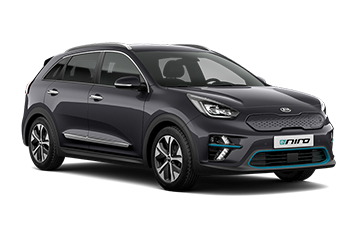
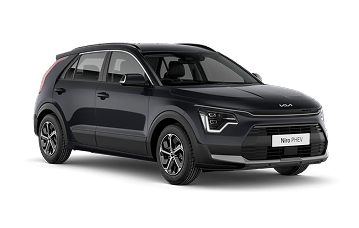
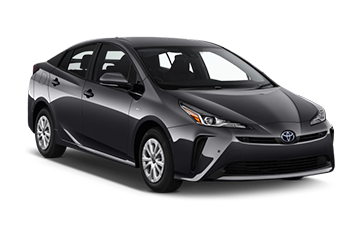
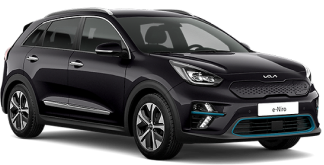
Fleeto has a range of PCO-ready cars, with selected vehicles available with an external dash cam. Options include models such as the Toyota Prius Plug-in and Kia Niro 2, alongside a wider choice of hybrid, electric and plug-in hybrid cars.
If you are looking to install a dash cam in your Fleeto PCO vehicle, contact our team of experts, and we will guide you on the suitable equipment and installation requirements for your car.
Privacy Concerns Around Dash Cams
Dash cams can help protect PCO drivers, but they also involve recording passengers, journeys, and in some cases, conversations. This means privacy should be considered when choosing and using a camera.
Audio Recording
If you are wondering, “Do all dash cams record sound?” Not all dash cameras record sound.
Many consumer dash cams have built-in microphones, while others allow the microphone to be switched off.
For PCO drivers, audio is more complicated. Some TfL-approved CCTV systems can record audio, but it is not recorded continuously. Audio can be activated in specific circumstances, such as when a panic button is used because of a safety concern, and then records for a limited period.
If you are considering a system with audio, check whether the microphone can be disabled, how audio is activated, how long it remains active and how recordings are stored and accessed.
CCTV Signage
If you install a TfL-approved CCTV system, passengers must be informed that recording is taking place. TfL requirements include approved interior and exterior signage, with the relevant data controller information clearly displayed.
The signs should remain visible to passengers without affecting the driver’s view.
Footage Retention
TfL-approved CCTV systems must use automatic overwriting, with footage normally retained for a maximum of 28 days.
Footage may be kept for longer in exceptional circumstances, such as an insurance claim or criminal investigation. If you need footage after an incident, act quickly rather than assuming it will remain available indefinitely.
Final Word
A dash cam can be useful for a PCO driver, but choosing one is not simply about finding the camera with the highest resolution or the biggest memory card.
Start with the TfL Approved Dash Cams List. Understand whether it records inside the vehicle, whether it has audio and how that audio works. Check the signage and make sure the installation does not interfere with your view.
If you are looking for a PCO-ready car in London, Fleeto offers flexible hire and rent-to-buy options across a range of vehicles, with key running costs and support included in its plans.
Frequently Asked Questions
Are TfL-approved dash cams mandatory for PCO drivers?
No. TfL currently allows taxi and PHV owners to choose whether to install in-vehicle CCTV.
If you decide to install an approved CCTV system, however, you should use a system on TfL’s current approved list and follow the relevant installation and signage requirements.
What is the TfL Approved Dash Cams List?
It is TfL’s published list of approved CCTV and incident-camera systems for taxis and private hire vehicles. The document identifies individual systems and shows which vehicle types they are approved for.
Do all dash cameras record sound?
No. Some dash cams have microphones and others do not. Where TfL-approved in-vehicle CCTV includes audio, it is not intended to record conversations continuously. Audio is normally activated only in specific circumstances.
Can I use a normal dash cam in my PCO car?
Do not assume that a normal consumer dash cam is a TfL-approved CCTV system. If you want to install a system covered by TfL’s CCTV approval requirements, check the exact model against the latest TfL list.
How long does TfL CCTV footage stay on the system?
TfL’s guidance specifies a maximum normal retention period of 28 days, after which footage should be automatically overwritten. Longer retention can apply in exceptional circumstances such as an insurance claim or criminal investigation.
Does a dash cam automatically fail an MOT?
No. The key issue is whether the equipment obstructs the driver’s view or otherwise causes a relevant defect. GOV.UK guidance specifically covers windscreen visibility and obstructions.
Where should I fit a dash cam?
Choose a position that gives the camera a clear view while keeping the driver’s view unobstructed. The exact position depends on the vehicle, camera and any TfL installation requirements.
Maximise Your Airport Earnings With the Right PCO Car!
At Fleeto, we have a wide range of PCO cars suitable for airport runs. Whether you want a 7-seater, 9-seater, or a standard vehicle with a large boot, we have the perfect car for you. Explore our fleet and pick your preferred car today on a flexible PCO car hire or rent-to-buy plan.

