
Waze vs Google Maps: Full Comparison for UK Drivers
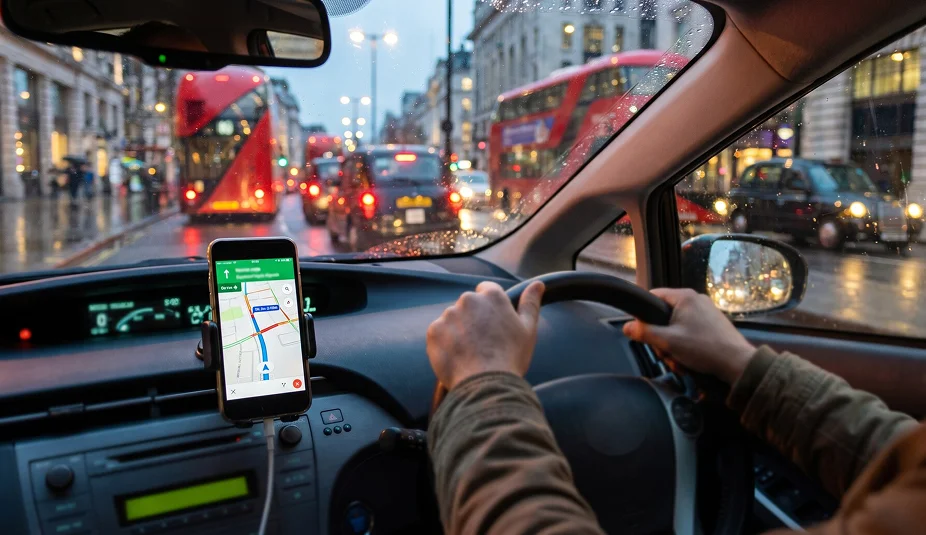
In London, the navigation app you use can decide whether you finish a job on time or sit in a queue. London drivers lost more time to traffic congestion than drivers in any other UK city in 2025. For PCO drivers, it matters more than most. Time stuck in traffic is time not earning. One wrong turn on a busy night can cost you a fare.
So which is better: Waze or Google Maps? Both are free, both and both use live traffic data. But they work in different ways and suit different drivers.
This Waze vs Google Maps comparison explains how each app handles UK traffic, speed cameras and safety features, and which one fits your driving.

Waze vs Google Maps: The Quick Review
If you only need a short answer, this table shows which app usually suits which driver.
If you mainly want… | Better choice |
Live alerts from other drivers about hazards, police and road closures | Waze |
A clean map, lane guidance and detailed place information | Google Maps |
Maps that still work with a weak signal | Google Maps (offline maps) |
Walking, cycling or public transport directions as well | Google Maps |
Fewer voice prompts while you drive | Both now offer options |
Driving only, with a strong community focus | Waze |
How Waze and Google Maps Are Different
Both are owned by Google LLC; Google Maps and Waze work independently as separate applications with different approaches.
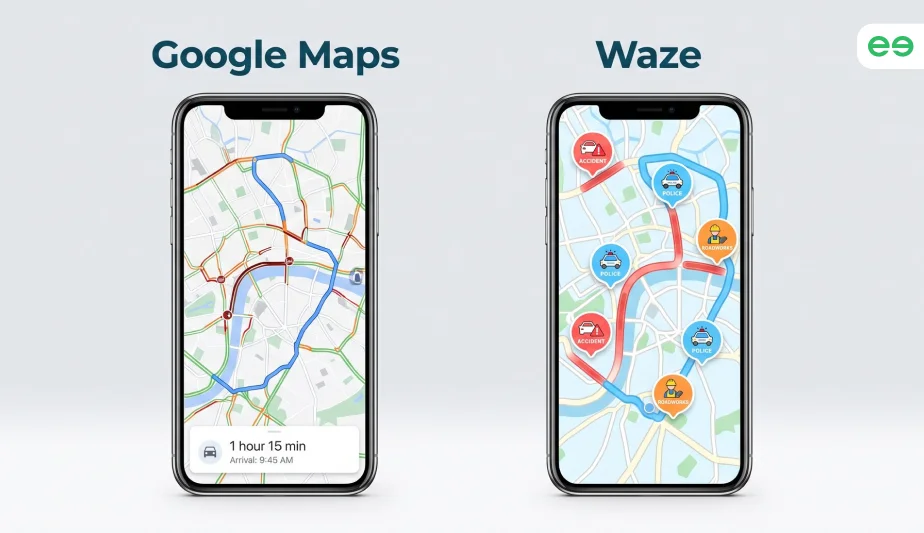
Waze is built around its community. Drivers report crashes, hazards, police, road closures and cameras as they drive. Waze reviews often highlight its real-time traffic updates and driver-reported alerts as some of its biggest strengths, particularly for busy city driving.
Google Maps is a general map and travel app. It covers driving, walking, cycling and public transport, and it includes business details such as opening hours and reviews.
The key difference is where each app puts its emphasis: Waze is more focused on live, driver-reported road conditions, while Google Maps combines traffic data with its wider mapping and location information.
For PCO drivers, that can mean Waze is useful for reacting to what is happening on the road, while Google Maps can be useful when you need more information about the destination as well as the route.


Waze vs Google Maps: Traffic and Congestion Updates
When traffic starts building, the difference between using Waze vs Google Maps on UK roads becomes more noticeable. Much like choosing between Uber and Bolt, there is no best navigation option for every driver.
Waze relies heavily on reports from its driving community. Users can flag accidents, congestion, road closures, hazards and other incidents as they encounter them. This can make Waze particularly useful when conditions change quickly. However, if you are wondering whether these live updates automatically make Waze better than Google Maps, the answer is not quite that simple.
Google Maps also provides live traffic information and can suggest faster routes when congestion affects your journey. Its advantage is that traffic is just one part of a much broader mapping system, giving you useful context around roads, places and alternative travel options.
So, if you are wondering “is Waze good for keeping track of congestion”, the answer is definitely yes. Waze can have the edge when avoiding live congestion is your priority, particularly during busy commutes and periods of heavy traffic.
Google Maps or Waze: Which App Fits Your Driving Needs
For PCO drivers working with Uber, Bolt or Wheely, having the right tools can make a real difference to the working day. From keeping your vehicle road-ready to finding the quickest route, the right apps can help you stay organised and make every journey more efficient.
One of the most important tools is your navigation app. Most major ride-hailing platforms let drivers choose their preferred app, so you can switch between Waze and Google Maps without changing the platform you work with.
Rather than sticking to one app, many experienced drivers use both and choose depending on the journey:
Where Google Maps stands out:
- Clear lane guidance: Useful at complex junctions, multi-lane roads and busy roundabouts where knowing the correct lane early can make a big difference.
- Finding your exact destination: Detailed place information, photos and Street View can help you locate the right entrance to a hotel, hospital, car park or shopping centre.
- Offline navigation: You can download maps before setting off, which is useful when travelling through areas with poor mobile coverage.
- More than driving directions: If you switch between driving, walking, cycling and public transport, Google Maps brings all these options into one app.
Where Waze has the advantage:
- Live road alerts: Drivers can report crashes, broken-down vehicles, hazards and objects on the road.
- Speed camera alerts: Waze can warn you about reported speed cameras and display the speed limit for the road you are travelling on.
- Dynamic rerouting: When traffic conditions change, Waze can quickly look for an alternative route.
- Voice reporting: Its voice features allow drivers to report certain road incidents without relying as heavily on screen taps.
Using Navigation Apps Safely During Driving
UK law applies regardless of which app you use on your phone while driving. You can get 6 penalty points and a £200 fine if you hold and use a phone, sat nav or similar device while driving. If you passed your test in the last two years, you will also lose your licence.
You can legally use the Waze navigation app and Google Maps hands-free, for example with a dashboard holder, a windscreen mount, voice commands or a built-in screen. The device must not block your view of the road ahead.
Both apps now support voice reporting, which means you can report a hazard without touching the screen. Set your route before you start driving, and use voice commands for any changes.
Start Earning Today.
Final Thoughts
For a PCO driver, navigation is ultimately about making every working mile count. Rather than comparing Waze and Google Maps, choose the one that fits the journey in front of you, and keep the other available when you need a different view of the road.
Waze leads on live alerts. Google Maps leads on detail and range. The best app is the one you trust on your routes.
The bigger priority is having a PCO-ready vehicle that keeps you working, with the right licence, insurance and support in place. Fleeto offers ULEZ-compliant PCO car hire across Greater London. Speak to the Fleeto team today and get on the road.
Frequently Asked Questions
Is Waze Good for PCO Drivers?
Yes. Waze can be useful for PCO drivers, particularly when dealing with busy London roads. Its live traffic information, incident reports and route changes can help you respond to changing road conditions.
Can I Use Waze and Google Maps Together?
Yes. You can have both apps installed and switch between them depending on your journey. Many drivers use Waze and Google Maps for different purposes rather than relying on just one.
Is Waze Better Than Google Maps in the UK?
The answer depends on how you drive. In a Waze vs Google Maps UK comparison, Waze can be particularly useful for live road updates, while Google Maps may be more useful when you need detailed information about a destination or a wider range of travel options.
Can You Use Waze Without Signing In?
Yes. You can use Waze without signing in for basic navigation, including getting directions and following routes. However, signing in gives you access to additional features, such as saving places, keeping your settings across devices and using your Waze account across different phones.
Maximise Your Airport Earnings With the Right PCO Car!
At Fleeto, we have a wide range of PCO cars suitable for airport runs. Whether you want a 7-seater, 9-seater, or a standard vehicle with a large boot, we have the perfect car for you. Explore our fleet and pick your preferred car today on a flexible PCO car hire or rent-to-buy plan.

